


SolidRed 3.3
Edit Asset
Table of contents
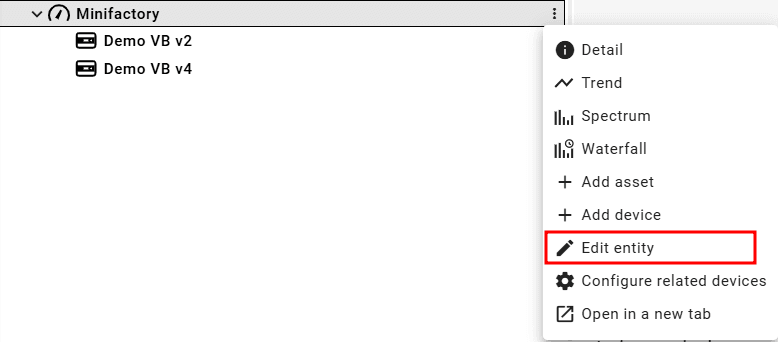
On the asset tree, click on the three dots next to the name of the asset. On the dropdown menu, select Edit entity. Alternatively, the user can click on the pencil icon at the top of the asset's detail dashboard.
A pop-up window will show up with the available options to edit the asset. After making the desired changes, click on the Update button in the bottom right corner of the window.
Note that the asset name must be unique when editing